

Axonaut myPOS automation for Hello Borne | Iotaweb
For Hello Borne, We designed a complete digital journey: a conversion landing page, a Gravity Forms form, needs assessment, automatic creation of the customer record in Axonaut, quote generation based on the entered data, and then sending a myPOS payment link. Objective: automate the entire funnel, from the customer request to the deposit payment.
This project illustrates our expertise in no-code and low-code automation for companies that want to save time on their sales management. The mission wasn't just about creating a landing page, but about connecting the entire customer journey: lead acquisition, data processing, quote generation, CRM, email, and payment. An approach consistent with our existing services.’no-code automation, of website creation and CRM integration.
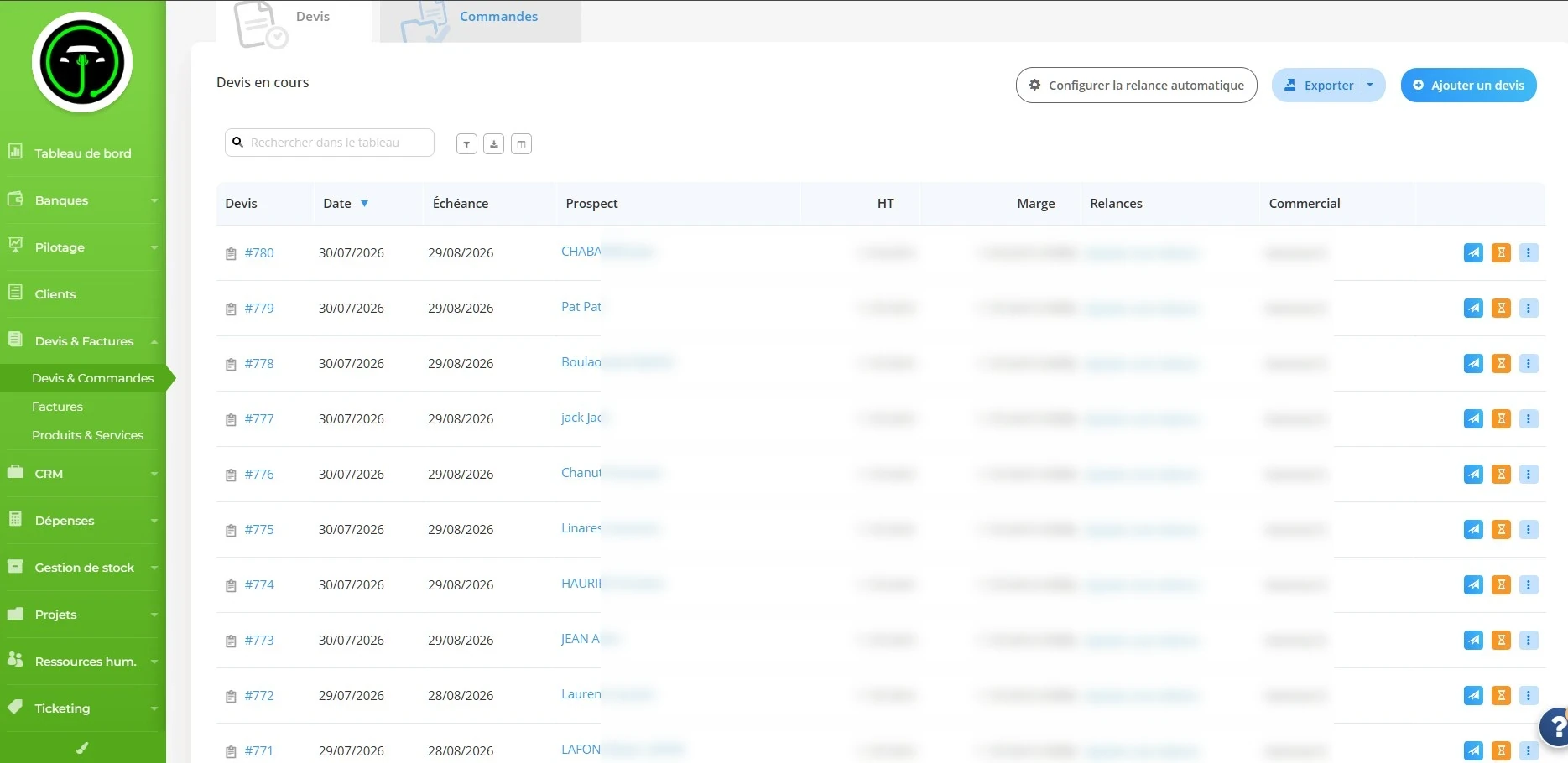
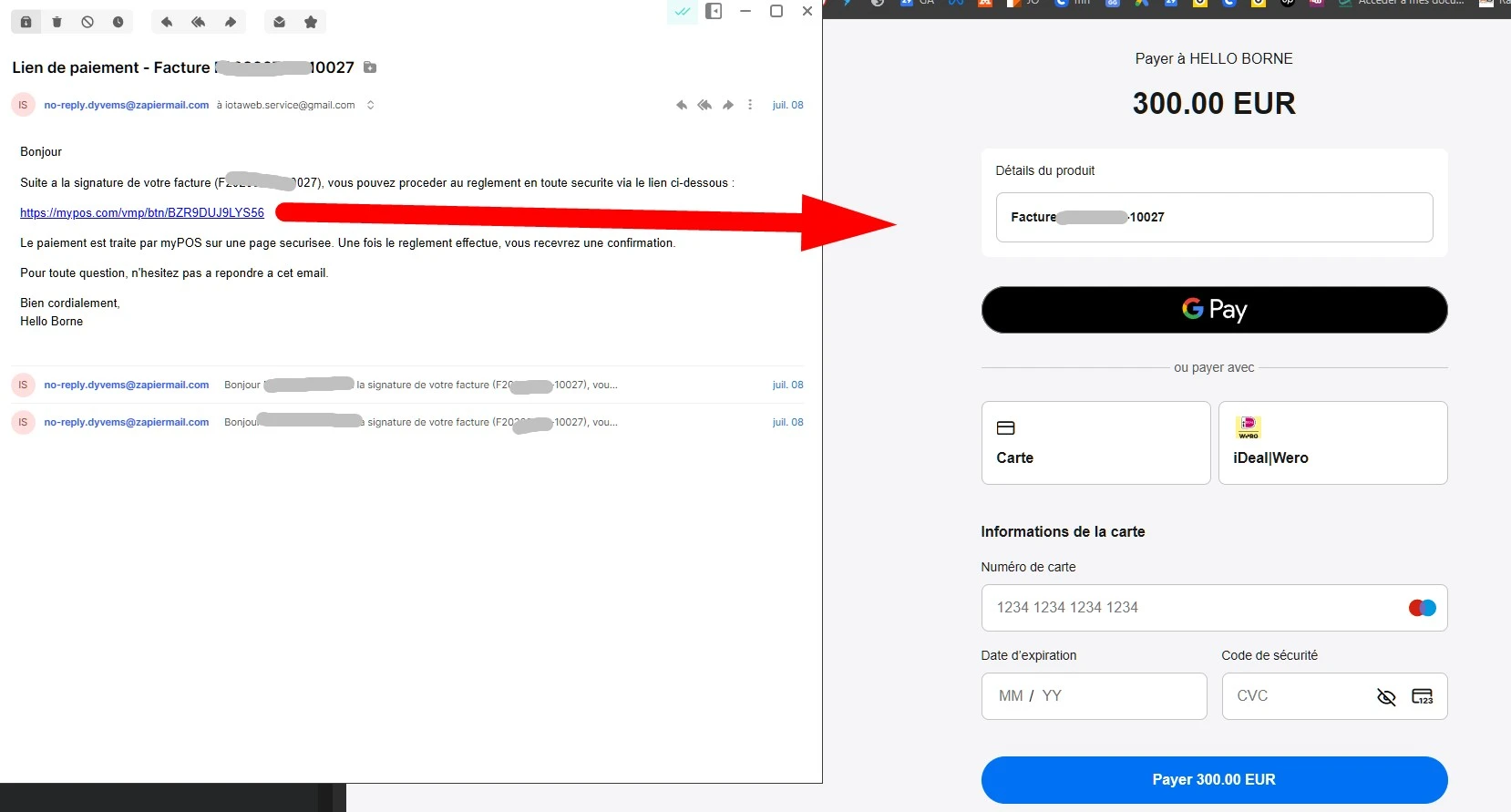
The automated route at a glance
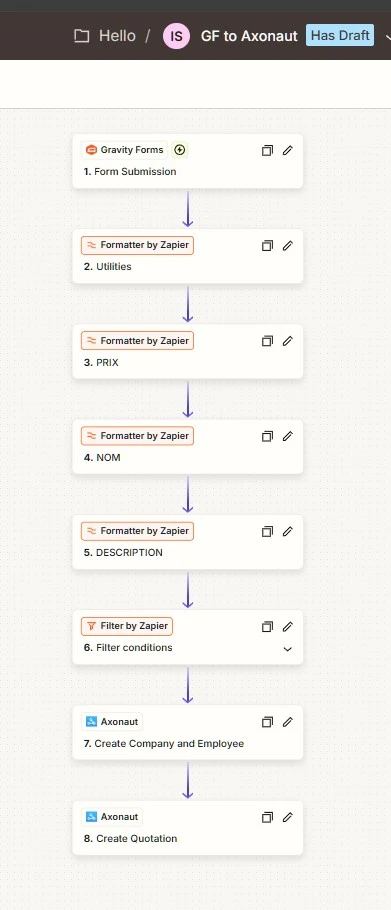
The Hello Borne funnel was designed to eliminate repetitive manual tasks. Once the user submits their request, the information is automatically processed to create the customer profile, prepare the quote, send the sales documents, and generate a payment link tailored to the order amount.
Hello Kiosk lead generation-oriented landing page
The first step of the project was the creation of a landing page dedicated to requests for charging station installations. The objective was to present the offer clearly, reassure the user, and guide them towards a structured quote request.
- Dedicated landing page to converting prospects interested in installing a charging station.
- Simplified route to avoid friction and maximize the quote request rate.
- Clear sales pitch : customer needs, installation, support and quote request.
- WordPress/Divi Integration to maintain a site that is easily manageable and scalable.
Gathering and structuring information using Gravity Forms
The Gravity Forms form was designed to collect the information necessary for sales processing: prospect identity, contact details, project type, technical specifications, and information useful for calculating the quote. The challenge was to transform a simple form into a true CRM entry point.
- Structured lead collection Name, surname, email, telephone and project information.
- Fields adapted to the profession to retrieve the data needed for terminal installation.
- Data that can be used automatically via Zapier and Axonaut, without manual re-entry.
- Reducing the risk of error thanks to standardization of fields before sending to the CRM.
Quote calculation using conditional logic
The quote is not generated generically. Conditional logic has been implemented to adapt the pricing based on the form responses, particularly details related to the project and the distance required for charging station installation. This approach allows for a more accurate quote to be prepared from the initial request.
- Automatic field analysis sent from Gravity Forms.
- Conditional logic based on the technical information provided by the prospect.
- Taking distances into account related to the installation of the terminal to adjust the amount.
- Preparing the cost estimate before creating the quote in Axonaut.
Automatic creation of the customer record in Axonaut
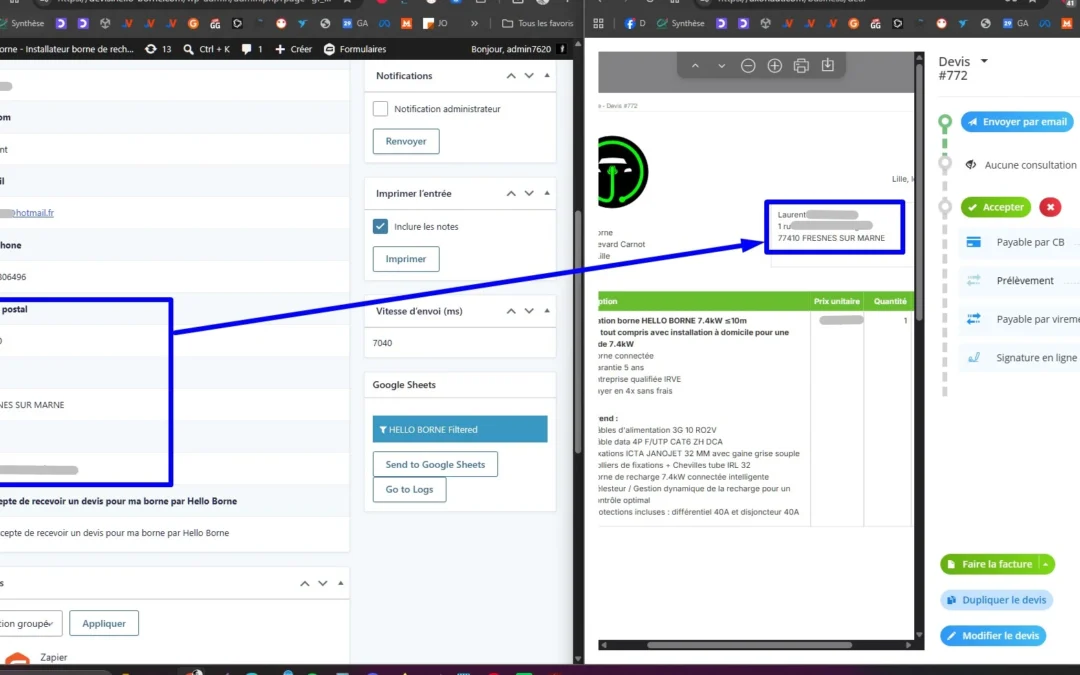
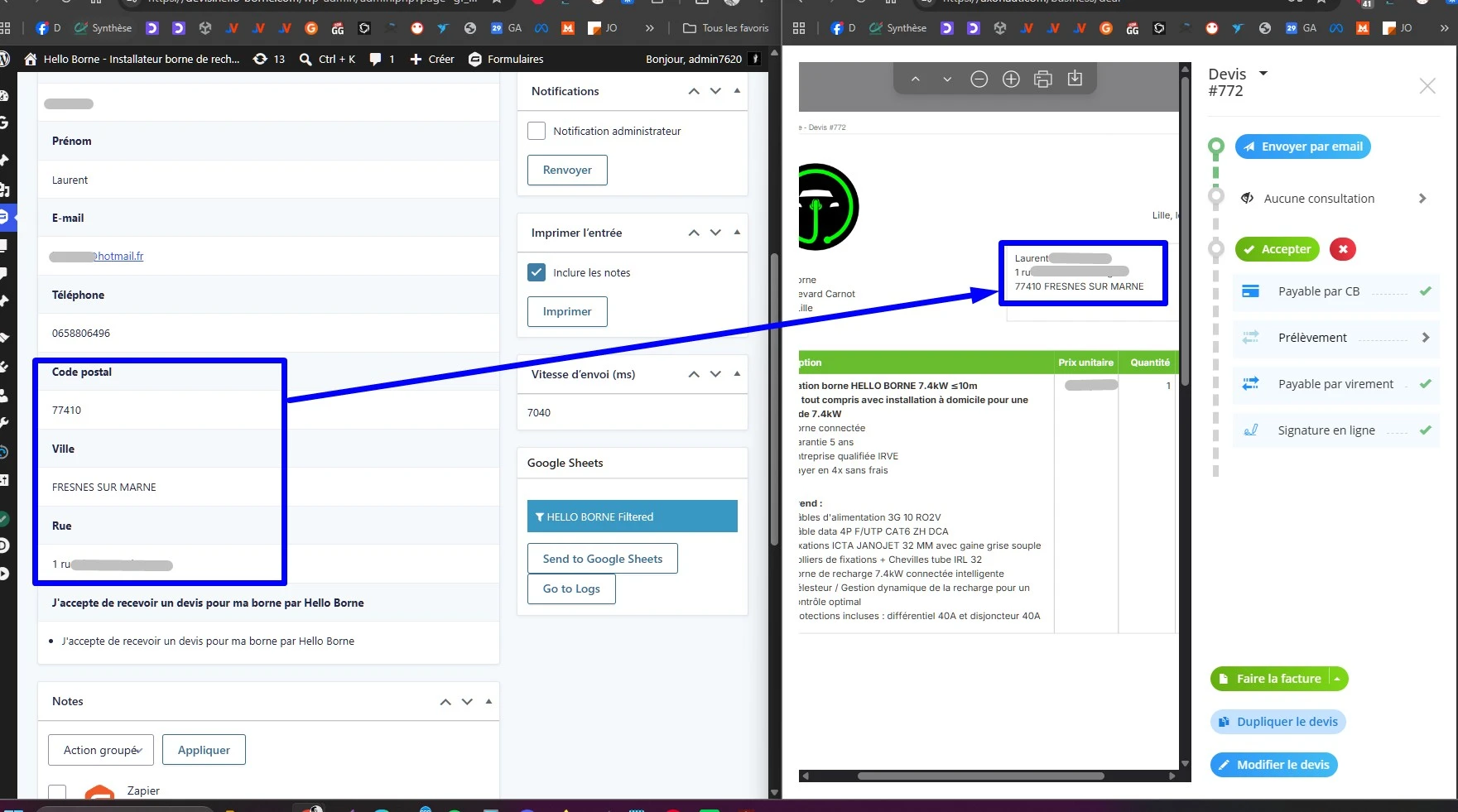
Once the form is submitted, the automated system verifies the prospect's data and then creates the customer record in Axonaut. The CRM then becomes the central sales repository: each request from the landing page is transformed into a usable opportunity, complete with contact details and information necessary for follow-up.
- Creating or enhancing contact directly into Axonaut.
- Transmission of coordinates : email, phone number, identity and project information.
- Organization of sales follow-up in a single CRM.
- Elimination of re-entry between the web form and the sales tool.
Automatic generation of Axonaut quotes
After the customer is created, the system automatically prepares the quote in Axonaut. Line items and amounts are populated using the information collected in the form and the defined conditional logic. This saves the salesperson time while maintaining a structured quote within their management tool.
- Automatic quote creation based on the data from the form.
- Calculated amount depending on the project conditions and the distances specified.
- Quote reference kept to link CRM, email and payment.
- Automated sending from the quote to the client once the workflow is validated.
Creation of the myPOS payment link for the deposit
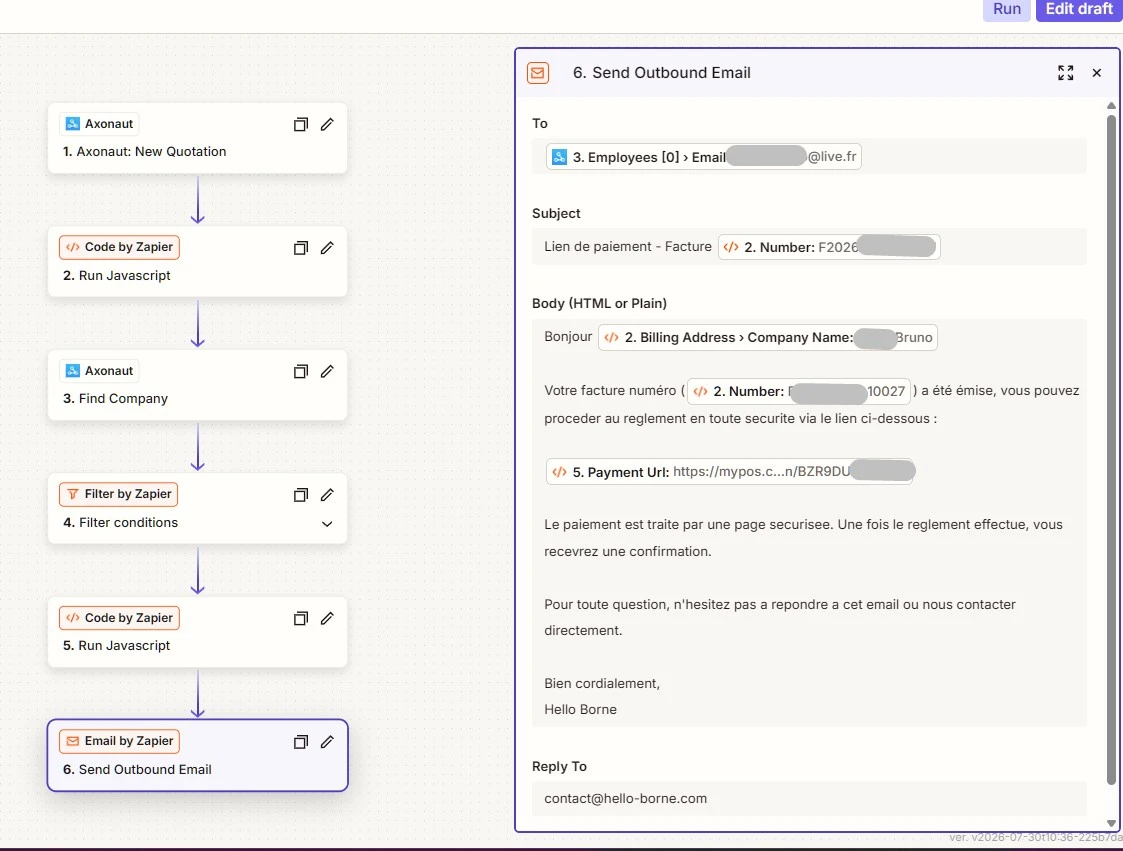
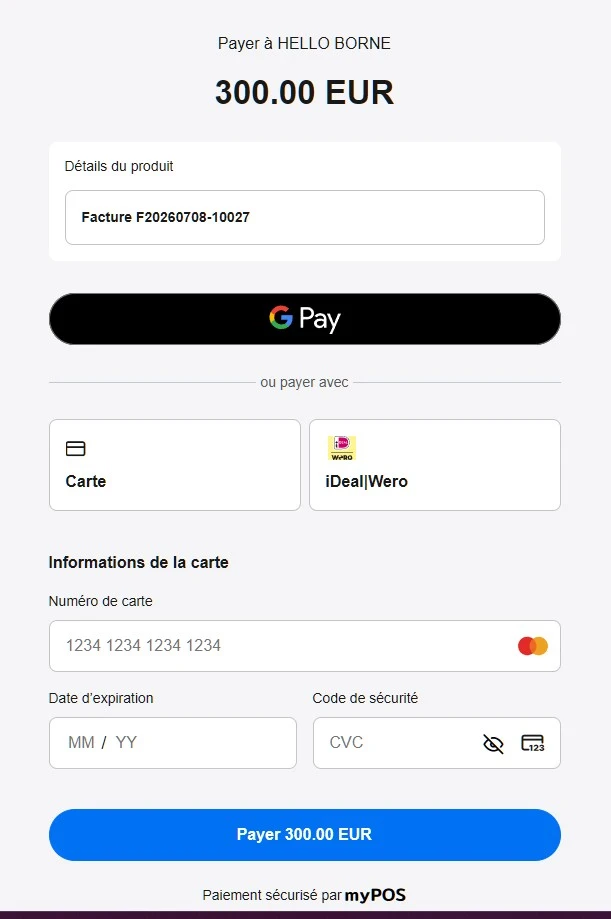
The final step involves automatically generating a myPOS payment link attached to the quote. This link is unique, with a specific amount, a clear reference, and is intended for the specific client. In the case of Hello Borne, the workflow is designed to request a 30% deposit of the quote amount before the remaining balance is paid.
- Single payment link created for each accepted quote.
- Automatic amount : deposit of 30 % of the total including tax of the quote.
- Clear description : “Deposit 30 % - Quote [reference]”.
- Balance retained for a subsequent payment request for the remaining 70 %.
- myPOS API connection via OAuth, merchant session and creation of Payment Link.
Securing the Zapier workflow before production
To ensure the reliability of the automation, several checks have been added before the payment link is sent. The Zap should not create a link if the quote has already been paid, if the amount is invalid, or if the necessary customer information is missing. This logic prevents duplicates and protects the sales process.
- Filter on payment status to process only unpaid cases.
- Amount control in order to avoid links with €0 or inconsistent data.
- Customer email verification before sending the payment link.
- Error prevention through step-by-step testing in Zapier.
- Logs and sensitive data controlled to avoid exposing API secrets.
Are you looking for a similar CRM, quote and payment automation solution?
You wish automate your sales funnel How do you connect your WordPress site, forms, CRM, and online payments? Our web agency designs custom workflows to link them. Gravity Forms, Zapier, Axonaut, myPOS, Stripe, WooCommerce or other business tools.
The goal: to transform an incoming request into a usable customer file, automatically generate a quote, send the right emails, and facilitate online payment without manual re-entry. This type of automation is particularly well-suited to construction companies, installers, tradespeople, B2B service providers, sales networks, and services offering personalized quotes.
Frequently Asked Questions
Can an Axonaut customer be automatically created from a WordPress form?
Can an Axonaut quote be automatically generated from a form?
Can a myPOS payment link be sent automatically after a quote?
Why automatically request a deposit of 30 %?
What tools can be connected in this type of automation?
Do you want to automate your sales funnel?
Landing page, form, CRM, quotes, emails and payment: let's build a reliable workflow to save time and convert faster.
